All ABOUT IT: Everything about Pakistan Media, Technology, Phones, IT, Windows, Anti Hacking - Hacking, General Information and All Popular Topics.
Subscribe For Free Updates!

We'll not spam mate! We promise.

Showing posts with label Editing. Show all posts

Friday, 24 May 2013

Windows Blue hides 4K display support, tons of new features, developer says


For all the controversy surrounding Windows 8, it's a solid OS under the hood. And based on a list of API clues discovered by a former Nokia and Silverlight developer, it should only get better with the Windows Blue update.
Based on an extensive examination of the software APIs found within Windows Blue (now offically called Windows 8.1 by Microsoft), developer Justin Angel compiled a lengthy list of more than 25 features that he says will be included in the updated OS: the possibility of ultra-HD "4K" screen support, lock-screen calls, HDR photo support, better multi-screen formatting, and much more. 
Angel teased out the new features by examining the APIs he found in the leaked build of Windows 8.1 (version 9385), which appeared online at the beginning of May. Other Microsoft watchers have installed and played around with the leaked OS—Paul Thurrott published a thorough examination of its forward-facing features—but Angel's API deep-dive reveals even more hidden secrets.
Microsoft representatives declined to comment on what they called rumors and speculation. Angel is no stranger to diving deep into Microsoft products. Last December, he made news when he discovered a method to pirate Windows Store downloads by turning trial versions into full-version apps.
Assuming Angel's latest findings bear out, the new APIs reveal a number of undisclosed capabilities in Windows 8.1, which is expected to be officially unveiled at Microsoft's BUILD conference in San Francisco. The developer release, expected on June 26, will include changes based on customer feedback, including the possible return of the Start button from Windows 7 (though Angel's API analysis doesn't confirm that detail).
It should be noted that Angel confined his examination to Windows 8.1 RT, and not the more conventional Windows 8.1. Windows RT, of course, hasn't had the warmest of welcomes.
JUSTIN ANGEL

The sexy stuff: cameras, resolutions, and lock screens

Microsoft has already said that it will support high-resolution screens with Windows 8, to the point that Windows hardware could support screen resolutions exceeding the "retina" displays found in Macintosh products. Angel's investigation would seem to confirm this, finding support for 225 percent scaling, far exceeding the 180 percent scaling found in Windows 8. In essence, pixel densities for Windows hardware could jump from 240 DPI to 300 DPI.
"It’s possible we’ll see Win8.1 WinRT tablets sporting screens with much higher DPI then Apple’s retina even going all the way up to '4k' resolution," Angel wrote on his blog,justinangel.net.
And if developers want that content projected on a second screen, with a different view, they can do so via the new ProjectionManager class.
"Imagine watching a video on your Win8 Atom-based tablet and plugging it into your TV," Angel wrote. "The tablet could duplicate the content on the TV, but it can’t choose to show one view for the TV and another view for the tablet screen. That for example is the experience for the Netflix iPad app. In Windows 8 Metro apps were spectacularly single screened and only had one single active view. It seems that in Windows 8.1 developers can opt-in to create additional alternate views for projection displays."
As has been previously revealed, apps can now set the lock screen background image. But while the Windows RT device is locked, Angel said, Windows 8.1 users should also be able to at least respond to incoming Skype calls from the lock screen, without having to input a password, unlock the PC, and accept the call. The LockScreenCallActivatedEventArgs API class should also display information about the call.
Although not everyone wants to take pictures with his tablet (does anyone?), the new 8.1 APIs support low-lag picture-taking, which, as Angel notes, could be used for two things. First, a low-lag camera could be used to eliminate shutter delay—the time between when the shutter button is clicked and when the picture is actually recorded. Second, the low-lag feature could be used to take a few, quick shots that could be stitched together. Shooting a few shots at different exposures and then digitally combining them is the basis for high-dynamic-range (HDR) photography, which Windows 8.1 could support.
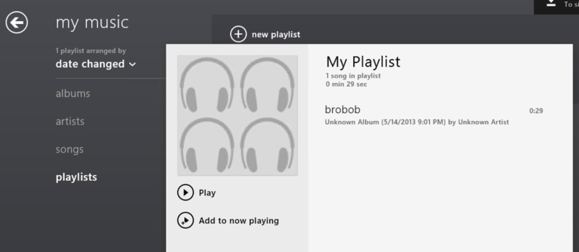
Metro apps will also now be able to read and write to the camera roll, saved pictures and playlists, Angel wrote.
JUSTIN ANGEL

Support for new devices

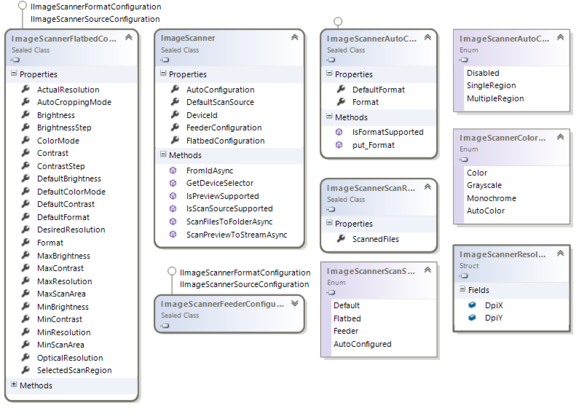
Scanners might not be the sexiest of devices, but they were a hole in Windows 8's vaunted driver support. In general, drivers tend to be provided by the manufacturer themselves, not built inside the OS. But that should change with the release of Windows 8.1. Using the new Windows.Devices.Scanners namespace, apps can automate scanning and customizing documents from flatbed and feeder scanners, Angel wrote.
JUSTIN ANGEL
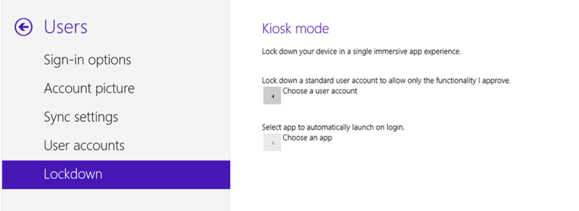
Enterprise users should also benefit from the additional support of smart cards, used for both mobile payment systems and for identification purposes. Windows 8.1 even supports the destruction of those cards. (Don't lose your PIN!) The new OS also includes an API called ClaimedBarcodeScanner.DataRecieved, which Angel says will allow support for both magnetic-stripe readers and barcode scanners.
The Windows 8.1 APIs also now indicate support for both Bluetooth 4.0 as well as Bluetooth Low Energy devices. Angel found support for both the RfComm bluetooth protocol and GATT Bluetooth profile, which are the core of Bluetooth 4.0 support.
Finally, Angel says that Windows 8.1 will support "any" USB or IO device.
"One of the big limitations of Win8 WinRT apps is their lack of ability to interact with connected and built-in devices unless previously exposed by WinRT," Angel writes. "It seems that’s about to change in Windows 8.1 with the introduction of the new Windows.Devices.Usb and Windows.Devices.Custom namespaces.  Both of these namespace provide IOutputStream and IInputStream to any USB or IO device. It’s fair to assume it’ll be heavily gated by permissions, but it’s still a great feature that opens up new avenues for Win8.1 apps."

General utilities (hello, search!) and other improvements

You know the Search charm within Windows 8? Congratulations, you're one of the few. But Angel found support for an inline SearchBox control—which, as the name suggests, now supports in-app searching. This means that developers won't necessarily have to force users to use the charm to actually search, but can add a more familiar search box instead.
In general, Metro apps stutter and sometimes stop when a VPN is introduced. Angel's sleuthing reports that will come to an end with Windows 8.1.
And although alternative PDF viewer apps are fairly common within the Windows Store, virtually none take place within the Metro environment. That should change with Blue, which now includes support for all apps to render PDF documents.

JUSTIN ANGEL
Windows 8.1 will also support "geofencing," or the ability to launch an app when the user enters (or, presumably leaves) a designated area. For example, an app could alert a user if his Windows tablet is stolen. Apps just need to set a center point and a radius.
Apps will also be to add appointments to the general Windows calendar via the new AppointmentsProvider, a feature that probably should have been included with the RTM release of Windows 8. Local text-to-speech is now enabled, too.
Angel also discovered a number of other, less important features in his lengthy runthrough.
While users tend to focus on the new, revamped Start Screen and other aspects of Windows 8, some of the best aspects of the new OS lie under the hood. If Angel's discoveries are correct, and Microsoft includes them in the final version of Windows 8.1, then we'll have a better sense of the direction in which Microsoft is moving.
Saturday, 4 May 2013

Free Photoshop Alternatives For Editing Photos


Photoshop has been the darling of the design industry for decades. It’s a fantastic program that has led the way since the release of Photoshop 1 on the Mac way back in 1990.
However, not everyone can, or wants to, pay the $699 that Photoshop costs. Thankfully there are a lot of free Photoshop alternatives available for photo editing. Some of these are very basic and are suitable more for only basic photo editing, whilst others are feature rich applications that give Photoshop a run for its money.
Today we would like to show you some of the best free photo applications that are available online.

The Free Alternatives

1. GIMP
Windows, Mac, Linux, FreeBSD, Solaris, AmigaOS
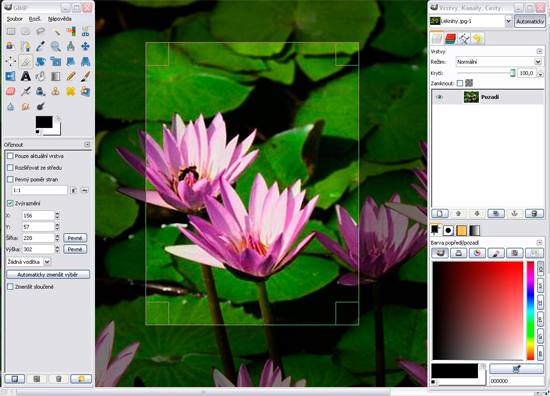
The GNU Image Manipulation Program is a great application that was created for photo retouching, image composition and image authoring. Written on Unix, GIMP is arguably the most popular alternative for Photoshop available today.
GIMP
2. Gimphoto
Windows, Linux
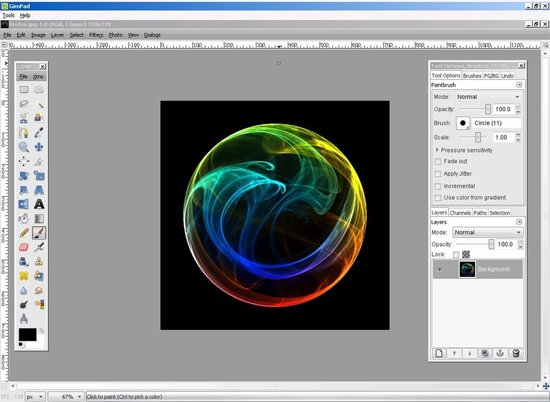
Gimphoto is a modification of the GIMP graphics program that aims to present a more user friendly interface. The layouts are more similar to Photoshop, making Gimphoto a popular choice for those who are switching from it. It’s currently only available for Linux and Windows though a Mac version is available.
Another GIMP modification that aims to make things easier for former Photoshop users is GIMPshop. Unfortunately, someone hijacked the GIMPshop domain, resulting in a dispute between the original developer and the hacker who was profiting from hijacking the domain. This is one of the main reasons the application is no longer developed.
Gimphoto
3. PhotoPos Pro
Windows
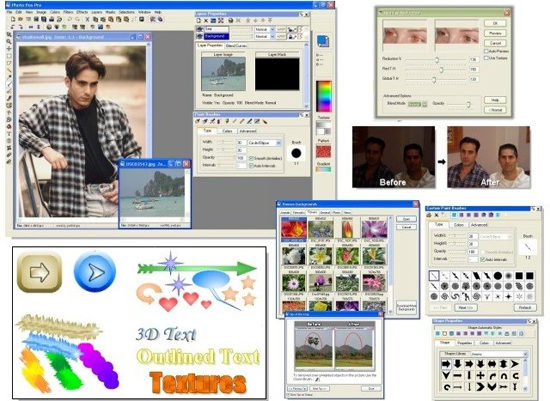
PhotoPos Pro is a rich photo editor that has support for most picture file types and support for digital scanners. It also features image enhancement, text tools, layers, masks and special effects.
The pro version of the script used to retail for $59.90 (with a lite version available for free) but it has since been released as Freeware (apparently due to thousands of requests).
PhotoPos Pro
4. Photoshop Express
Online Service
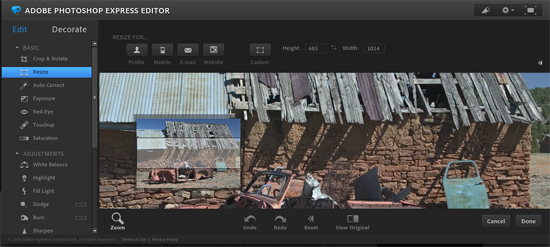
Can’t afford the high price of Photoshop? You may be pleased to know that Adobe offers a free basic version of the script online. The editor allows you to edit your photos online with ease. You can resize, crop and rotate, reduce red-eye and saturation, adjust white balance, fill light and much more. You can also apply effects to photos such as pixelate, tint and crystalize.
Photoshop Express is a great choice for basic photo editing and quick touch ups.
Photoshop Express
5. Artweaver Free
Windows
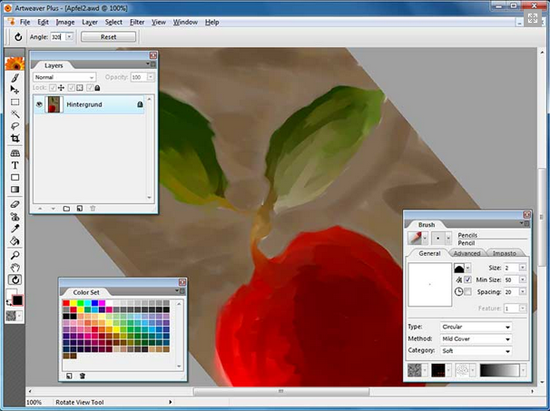
Artweaver Free is a limited version of the artistic application Artweaver Plus (€29). The free version has common editing tools such as gradient and crop, support for PSD files, arrangeable palettes plus image and effect filters.
Artweaver Free
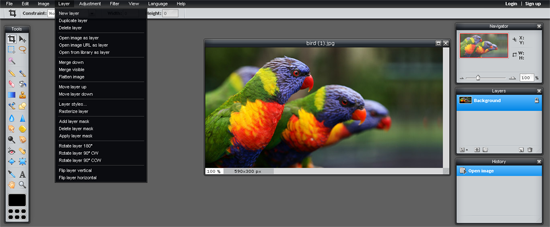
6. Splashup
Online Service
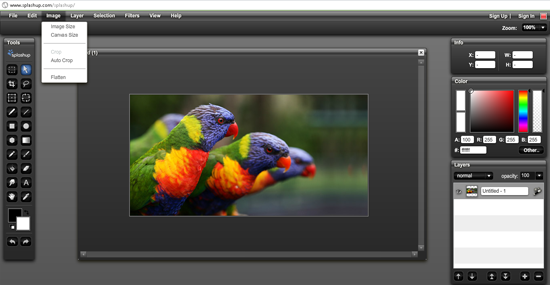
Formally known as Fauxto, Splashup is a free online photo editing tool and manager that has support for layers, filters, brushes, text editing, blend modes and much more. You can import photos from your desktop and from a range of services such as Facebook, Flickr and Picasa.
Multiple photos can be edited at the same time and there is a lite version for mobile PCs available too.
Splashup
7. Aviary
Online Service
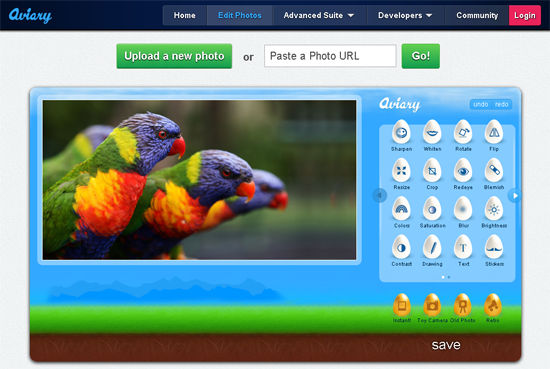
A cool online photo editor that lets you edit photos easily. You can crop and rotate images and apply lots of cool effects such as sharpen, blemish, red eye, contrast, blue and much more.
Aviary
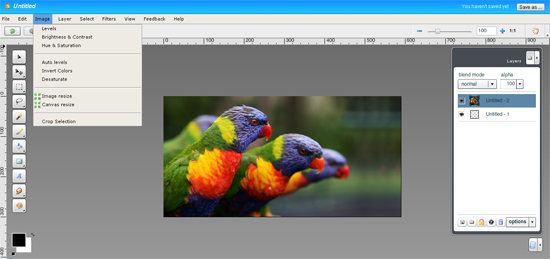
There are advanced tools available too (also free) for dedicated editing such as an image editor, vector editor, effects editor, image markup, music creator, audio editor and screen capture.
Aviary
8. Inkscape
Windows, Mac, Linux
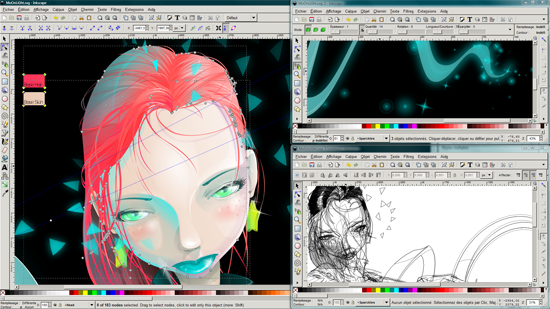
A vector graphics editor which boasts that it has similar capabilities to Illustrator, CorelDraw and Xara X. It saves files in the Scalable Vector Graphics (SVG) format. It should be considered as a compliment rather than an alternative to raster graphic editors such as Photoshop or Gimp for most tasks, though it has adopted some common photo editing tools such as blurring etc.
Inkscape
9. Photoscape
Windows
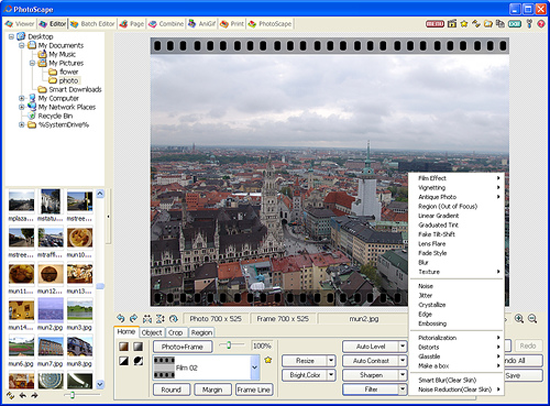
A basic photo editor that lets you fix and enhance photos. It has a lot of interesting features such as support for animated gifs, a splitter which divides a photo up into several pieces and attaching multiple photos vertically or horizontally to create one final photo.
Photoscape
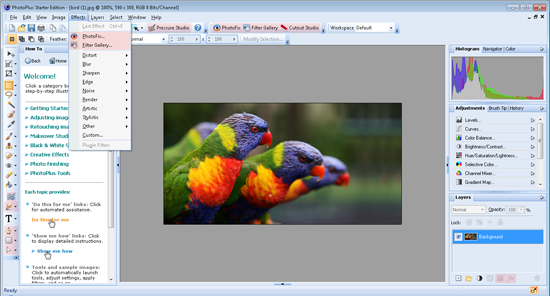
PhotoPlus Starter Edition is a limited version of PhotoPlus X5 ($89.99). It comes with a lot of great tools that help you adjust photos and give them a complete makeover. Through PhotoPlus you can repair old and damaged photos, remove objects from a photo, smooth skin, whiten teeth and much more.
PhotoPlus
11. Seashore
Mac
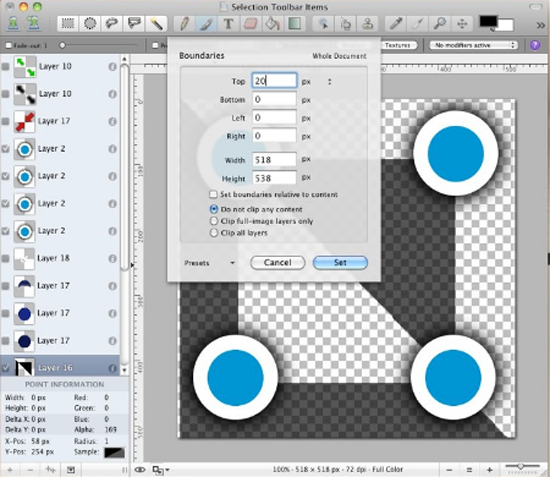
A beautiful image editor that supports gradients, textures and alpha channel editing. You can compare the current image to the last version of it saved, and can save in SVG, PSD and PDF file formats.
Seashore
12. Paint.NET
Windows
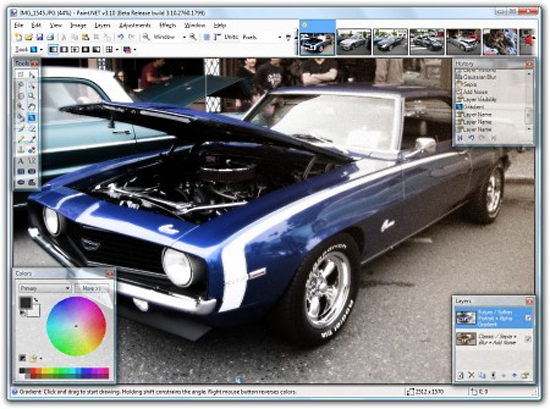
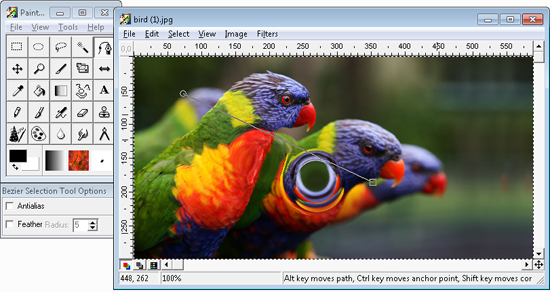
A great program that evolved from Microsofts famous Paint application, Paint.NET supports layers, special effects, unlimited history and more. It uses an intuitive tabbed interface that shows live thumbnails of the opened image rather than text. It also has a very active support community.
Paint.NET
13. Darktable
Mac, Ubunut, Fedora, Opensuse, Arch, Gentoo
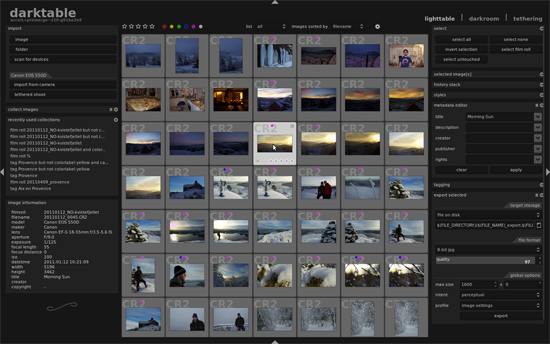
One of the only applications that isn’t available for Windows, Darktable is a feature rich photo editing program that supports lots of special effects and correction tools. It has support for 15 languages and the export system works with Picasa, Flickr, email attachments and more.
Darktable
14. Photofiltre
Windows
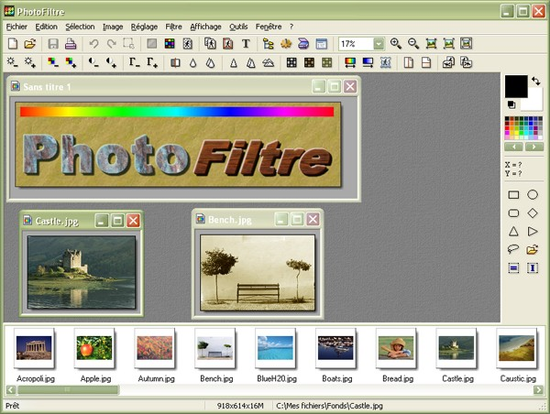
An image retouching program that allows basic or advanced image editing. It supports over 100 filters and lets you use useful preset selection tools such as ellipses, triangles, rounded rectangles and more.
Photofiltre
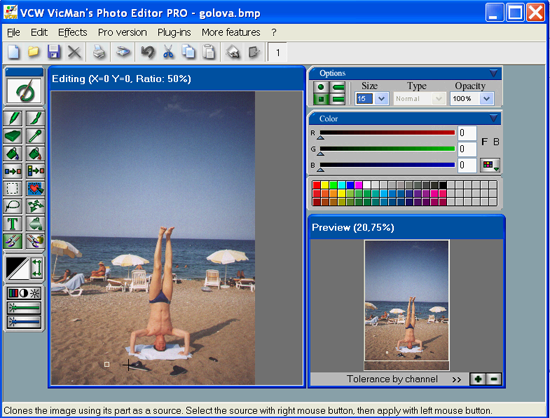
A basic image editor that supports over 30 types of file formats and 100 transformations, filters and effects. Photoshop compatible filters are supported too.
VCW VicMan's Photo Editor
16. PaintStar
Windows
An image processing application for editing and retouching photographs. Image morphing, multiple layers and screen capture are supported and it supports more than 30 file formats, 100 effects and filters.
PaintStar
17. Picnik
Online Service
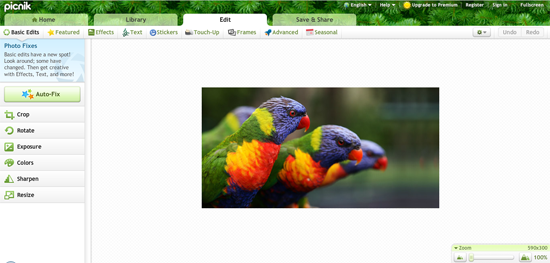
A simplistic online photo editing service that lets you modify images with one click. Basic edits like rotation, resizing and cropping as well as changing exposure and colors and sharpening the image, are all free. More advanced effects and edits are only available to premium users ($24.95 a year).
Picnik
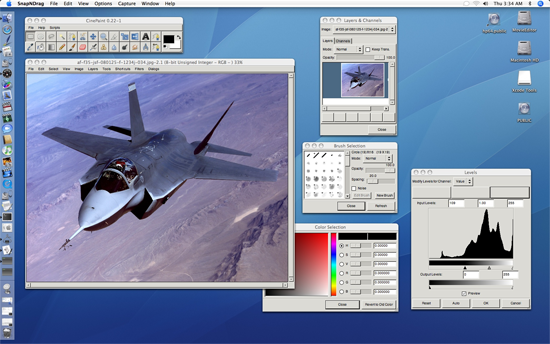
18. Cinepaint
Windows, Mac, Linux, FreeBSD and NetBSD
An offshoot of GIMP, CinePaint has been used on many Hollywood films such as Spiderman and The Last Samurai to touch up frames.
Cinepaint
19. Pixlr
Online Service, Windows, Mac, Mobile Devices
A cool free online photo editing service that works on browsers and a variety of operating systems and devices. Available in 23 languages, Pixlr has the most usable Photoshop features such as color adjustment, special effects, layer support and much more.
Pixlr
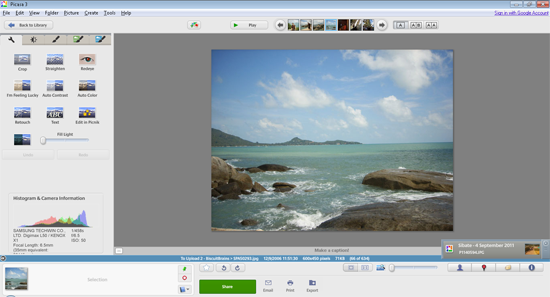
20. Picasa
Windows, Mac, Linux
Originally created and sold by Idealab, Google aquired Picasa in 2004 and released it to the world for free. The current version supports easy geo tagging and heavy integration with Google+ that lets you easily tag Google+ friends and share photos through your circles.
It’s user-friendly interface makes it easy to apply basic edits to your photos and touch them up. 12 effects are available and there are additional affects via Picnik too.
Picasa
Do you use any of these free photo editing programs? If so, please let us know in the comments area and let us know the advantages to using the application over others.